
- HOME
- Column・Blog
- Overseas Internet
- Where to Buy a SIM Card in South Korea (2026): Airport, Stores & Online Guide
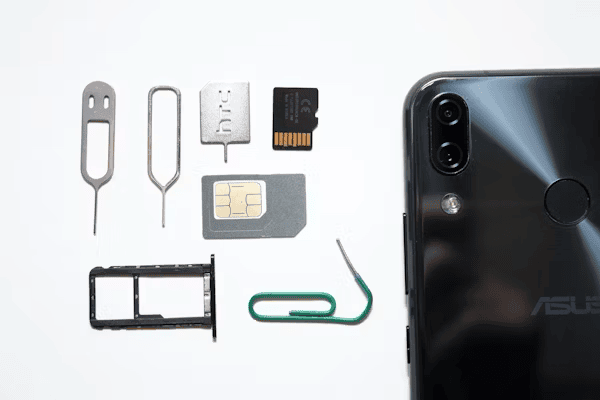
Where to Buy a SIM Card in South Korea (2026): Airport, Stores & Online Guide
Get trifa and enjoy internet connectivity wherever you go
Only 3 minutes for setup!Get trifa App for FREE!
CHAT BOT
Ask for inquiries about use
Buying a SIM card in South Korea is straightforward once you know where to look. Travelers have four main channels: airport carrier counters at Incheon, Gimpo, and Gimhae; convenience stores such as GS25, CU, and 7-Eleven; online marketplaces including Amazon, Klook, and KKday; and direct purchase through the official websites of the three major carriers — SK Telecom, KT, and LG U+. This guide walks through each of those options with current pricing, an honest comparison of the three Korean carriers, and a side-by-side look at when an eSIM is a better choice than a physical SIM. By the end you'll know exactly what to do between landing at Incheon and stepping out into Seoul — whether you're on a weekend break or staying for a month. Last updated: 2026-06-15
Table of Contents
Where to Buy a SIM Card in South Korea: Your 4 Main Options
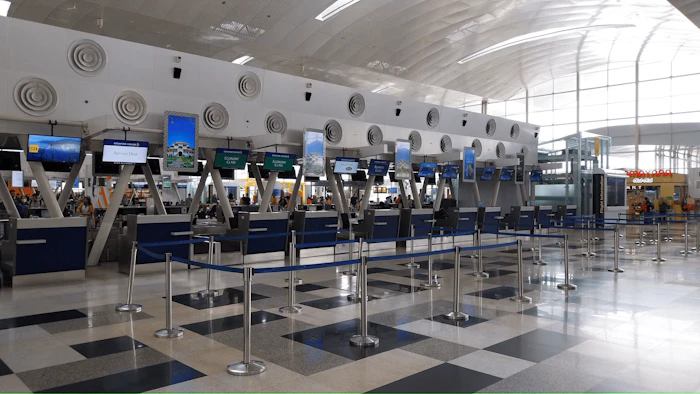
Travelers heading to South Korea have four practical channels for buying a prepaid SIM card. Each suits a different style of trip, and choosing the right one before you land will save you both money and time at the airport.
Quick comparison of the four channels
Channel | Best for | Setup time | Price range |
Airport counter | Arriving travelers, language support needed | 10 to 20 min | $20 to $90 USD |
Convenience store (GS25, CU, 7-Eleven) | Travelers already in Korea who skipped the airport counter | 10 to 15 min | $25 to $55 USD |
Online marketplace (Amazon, Klook, KKday) | Planners who want to lock in the price before flying | 3 to 5 days shipping or pickup voucher | $15 to $50 USD |
Carrier website (SKT, KT, LG U+) | Long stays, travelers who want the official tourist plan | Pre-order and pick up at airport | $30 to $100 USD |
Airport carrier counters
The simplest option for most arriving travelers is to walk up to one of the carrier counters in the arrivals hall of Incheon (ICN), Gimpo (GMP), or Gimhae (PUS) airport. SK Telecom, KT, and LG U+ all operate desks staffed by English-speaking agents, and most airport plans range from 1 to 90 days of unlimited or capped data. The trade-off is queueing time after a long-haul flight and slightly higher rates than online pre-orders.
Convenience stores
If you skip the airport counter, the next easiest route is a GS25, CU, or 7-Eleven branch in the city. All three chains stock prepaid SIM packs from the major carriers, and clerks can activate the SIM on the spot once you show a passport. This works well if you land late at night and want to head straight to your hotel before buying a SIM.
Online marketplaces (Amazon, Klook, KKday)
For travelers who like to lock in pricing before flying, online marketplaces such as Amazon (US, UK, and AU storefronts), Klook, and KKday sell physical Korea SIMs that ship to your home address or generate a pickup voucher you redeem at the airport. Marketplace pricing is often 15 to 30% lower than walking up to an airport counter, but you'll need to order 3 to 7 days in advance to allow for shipping.
Carrier official websites
SK Telecom, KT, and LG U+ each run dedicated tourist-SIM pages on their English-language sites. Booking direct gives you the carrier's full plan menu, including longer durations such as 60 and 90-day plans, but you typically still collect the physical SIM at an airport counter. Recommended if you're traveling for a month or longer and want a specific carrier's plan.
What You Need to Buy a Korean SIM Card
Buying a prepaid SIM in South Korea is straightforward, but you do need to bring a small set of items with you. Carrier counters will refuse the sale without them.
- A valid passport. Korean law requires real-name registration for every mobile line, so foreigners must show a passport at purchase. An Alien Registration Card is not required for tourist prepaid plans, but tourists must register under the passport name exactly.
- An unlocked phone. A Korean SIM will not work in a carrier-locked handset, so verify your phone is unlocked before you leave home. US travelers in particular should check carrier policy carefully (more on this in the next section).
- A credit or debit card for payment. Most airport counters accept Visa, Mastercard, JCB, and Amex. Cash in Korean won works at some counters but not all, so a card is the safer bet.
- A working email address. Carriers send activation confirmations and customer support links by email rather than paper receipts.
Allow about 15 to 20 minutes at the counter once it's your turn. Activation itself usually takes under 5 minutes, with the rest spent on passport verification and plan selection.
Pros and Cons of Using a Local Korean SIM Card
A local SIM is the default option for travelers who want a Korean number, the fastest possible speeds, and predictable coverage outside major cities. It also comes with three real trade-offs worth thinking through before you buy.
Pros
- 5G speeds among the world's fastest. South Korea's nationwide 5G networks consistently rank in the global top 5 for median download speeds, with Speedtest's latest measurement putting the country around 218 Mbps median across all mobile users and Opensignal recording average 5G speeds above 400 Mbps during peak periods. For travelers, that translates to lag-free video calls, instant map loading, and smooth streaming almost everywhere you go.
- A Korean phone number. Local SIMs include a Korean number, which is useful for SMS verification with food delivery apps such as Coupang Eats and Baemin, taxi-hailing apps like Kakao T, and online shopping checkouts that require domestic verification.
- Lower per-day cost for long trips. A 30-day unlimited prepaid SIM lands in the $30 to $50 USD range, which works out to roughly $1 to $1.70 per day. That's hard to beat for stays of two weeks or longer.
- Stable coverage outside major cities. Carrier-issued SIMs run directly on a host network, so the signal in rural areas such as Jeju, Andong, and the coastal provinces is typically as strong as in central Seoul.
Cons
- Mandatory passport check. Every SIM sale requires a passport scan, and the carrier keeps your details on file as long as the SIM is active. This is required by Korean telecommunications law and is not negotiable.
- Time at the airport counter. Counters can have lines of 30 to 60 minutes during peak arrival hours, especially evenings at Incheon Terminal 1. eSIM purchases avoid this entirely.
- SIM-lock risk for US travelers. US carriers vary on unlock policy. Verizon, for example, updated its policy in early 2026 so that new devices remain locked until the full device payment or contract terms are met. T-Mobile typically requires the device to be active on its network for at least 40 days before unlocking. AT&T unlocks within a few business days of a paid-off device. Confirm your phone's unlock status before you fly; trying to insert a Korean SIM in a locked phone simply produces a "no service" error.
- Physical card to keep track of. You'll need to store your home-country SIM during the trip and remember to swap it back when you fly home.
Korean Mobile Carriers: SK Telecom, KT, and LG U+
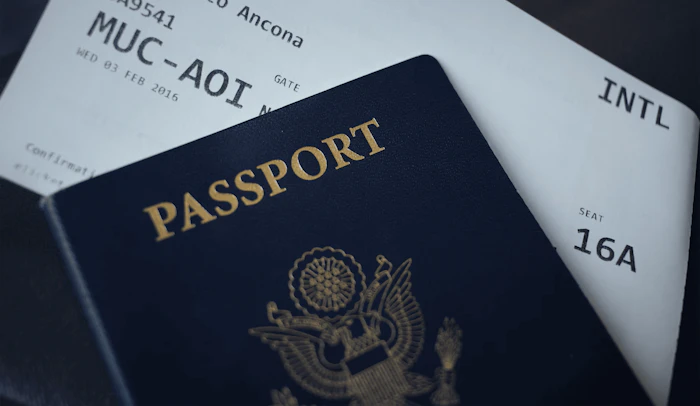
South Korea's mobile market is served by three nationwide carriers. All three operate dense 5G networks across the country, and the differences for travelers come down to plan menu and counter convenience rather than coverage quality.
Carrier comparison at a glance
Carrier | Best for | Typical tourist plan | Counter availability |
SK Telecom | Travelers wanting unlimited data on Korea's largest network | 5 to 30 days unlimited, with Korean voice and SMS | 24-hour counters at Incheon Terminal 2; daytime counters at Gimpo and Gimhae |
KT | Cost-conscious travelers, longer stays | 1 to 90 day plans, including data-only and combined voice plans | Daytime counters at all three airports; pre-order pickup at Incheon |
LG U+ | Long-stay travelers, lighter counter queues | 60 and 90-day plans available; competitive on longer durations | Counters at Incheon Terminal 1 and 2; shorter lines than SKT and KT |
SK Telecom: Korea's largest network
SK Telecom holds the largest share of the Korean mobile market and tends to be the default recommendation for travelers who want unlimited 5G plans. SKT's prepaid tourist SIMs typically run from 5 to 30 days with unlimited data plus local Korean voice and SMS. SKT's airport presence is the strongest of the three, with a 24-hour counter in the arrivals hall of Incheon Terminal 2.
KT: well-priced data plans
KT (formerly Korea Telecom) tends to offer the broadest plan menu, from 1-day passes for very short trips up to 90-day plans for long stays. KT counters at the airport are open during standard daytime hours and the plan menu often includes both data-only and combined voice plans, useful if you need a Korean number for app verification.
LG U+: best for longer stays
LG U+ rounds out the trio and is often quieter at the counter, which can save you 20 to 30 minutes during peak arrival waves at Incheon. LG U+ tends to be price-competitive on 60 and 90-day plans, making it a sensible pick for travelers staying a month or more.
Buying a SIM Card at Incheon, Gimpo, and Gimhae Airports
Most travelers buy their Korean SIM card at an airport counter on arrival. Here's what to expect at each of the three main entry points.
Incheon International Airport (ICN)
Incheon is the primary gateway to Seoul and the busiest international airport in Korea. SK Telecom, KT, and LG U+ all operate multiple counters across both terminals.
- Terminal 1: Counters are located in the arrivals hall on the 1st floor, near the public exit gates. Most counters open from approximately 06:30 to 22:00, with some carrier counters extending to overnight hours.
- Terminal 2: SK Telecom operates a 24-hour counter in the arrivals area, located opposite Gate 7. This is the most reliable option for late-night arrivals. KT and LG U+ also have counters open during standard daytime hours.
Expect a 10 to 30 minute wait during peak arrival times (late afternoon and evening), and shorter waits in the morning.
Gimpo International Airport (GMP)
Gimpo is the secondary Seoul-area airport, handling mostly short-haul flights from Japan, China, and Taiwan. SK Telecom's counter is located beside Gate 1 in the arrivals hall (1F) and typically operates from 06:30 to 23:00 daily. KT also maintains a Gimpo counter. Counter options are more limited than Incheon, so consider pre-ordering online if you arrive late at night.
Gimhae International Airport (PUS)
Gimhae is the main gateway to Busan and southern Korea. SK Telecom operates a counter beside Gate 3 in the arrivals hall (1F), typically open from 06:00 to 22:00. KT and LG U+ counters keep similar daytime hours. If you're arriving on a late-night flight to Busan, the only reliable workaround is an eSIM activated before you land.
eSIM vs Physical SIM for South Korea: Which Should You Choose?
Over the past two years, eSIMs have taken over from physical SIMs as the default choice for short-trip travelers to Korea. The decision is now less about cost (the two are roughly comparable) and more about convenience and trip length.
Side-by-side comparison
Factor | Physical SIM | eSIM |
Setup time | 15 to 30 min at airport counter | 5 to 10 min, before you fly |
Korean phone number | Yes, with most tourist plans | No, data-only |
Cost (5-day, ~5 GB) | $25 to $40 USD | $8 to $15 USD |
Keeps your home number | No (unless your phone has dual SIM) | Yes |
Risk of loss | Physical card can be lost | None |
Popular eSIM providers for Korea
Several global eSIM providers offer Korea-specific plans. Pricing and bundle structures vary, but the leading options include:
- Airalo: The largest global eSIM marketplace. Korea plans start at around $5 USD for 1 GB over 7 days, with larger bundles up to 20 GB available.
- Holafly: Known for unlimited-data eSIMs. Korea unlimited plans cost roughly $2 to $3 USD per day, billed by trip length.
- Saily: A newer eSIM provider with Korea data plans starting around $4 USD. Often cited as a budget-friendly choice for solo travelers.
- Nomad: Korea plans start around $4 for 1 GB over 7 days, with options up to unlimited 5G data for longer trips.
- Ubigi: A long-running data-roaming brand with Korea plans starting around $1.70 per GB; often performs well on 5G in independent testing.
- Trifa: A Japan-based international eSIM serving travelers across Asia and beyond. Korea plans cover 1 GB to unlimited data, and durations from 3 to 60 days. More on Trifa in section 8 below.
International roaming as a backup
If you're on a major US, UK, or Australian carrier, your existing roaming plan may already cover Korea. Notable options:
- Verizon TravelPass (US): $12 per day in 210+ countries including South Korea, with unlimited data subject to a daily high-speed cap before throttling.
- T-Mobile Go5G Plus / Go5G Next (US): 5 to 15 GB of high-speed data per month included in 215+ countries, then 256 kbps.
- UK and Australian carriers such as EE, Vodafone, Three, Telstra, and Optus offer daily international add-ons in the $10 to $15 USD-equivalent range.
Roaming is convenient for 2 to 3 day trips, but at $12+ per day the cost gets steep quickly compared with an eSIM at $10 to $15 total for a similar trip.
Things to Check Before Buying a Korean eSIM
An eSIM is the lightest, fastest option for most short trips, but it does come with two compatibility checkpoints worth confirming before you pay.
Is your phone eSIM-compatible?
Most modern smartphones released since 2018 support eSIM, but there are a few common exceptions to watch for.
- iPhone: iPhone XR, XS, XS Max, and all later models support eSIM. However, iPhones purchased in mainland China, Hong Kong, or Macau ship without eSIM capability and are not compatible with travel eSIMs.
- Samsung Galaxy: Galaxy S20 and later flagship models support eSIM. Some regional variants (notably Samsung phones bought in Hong Kong) do not.
- Google Pixel: Pixel 3a and later models support eSIM globally.
- Other Android brands: Most modern Android flagships from Xiaomi, Oppo, OnePlus, and Sony Xperia 10 IV onwards support eSIM, but mid-range and budget models often do not. Check the official spec sheet for your model.
The quickest way to confirm is to dial *#06# on your phone; if an EID number appears alongside the IMEI, your device supports eSIM.
Activation: how it actually works
Activating an eSIM is a one-time setup that takes about 5 to 10 minutes on Wi-Fi before you fly.
- Buy the eSIM plan from your chosen provider's app or website.
- The provider sends you a QR code, or for in-app providers, the eSIM provisions automatically.
- On iPhone (iOS 17.4 and later), recent providers support one-tap installation directly from the app, removing the need for QR scanning. On older iOS or on Android, scan the QR code from Settings > Cellular > Add eSIM (iOS) or Settings > Network & Internet > SIMs (Android).
- Confirm data roaming is enabled in your phone's settings. Most travel eSIMs technically operate through international roaming agreements, so the toggle must be on once you land.
- Your eSIM activates automatically when your phone connects to a Korean network on arrival.
If you land and the eSIM doesn't connect, toggle Airplane Mode off and on, then check that your provider's profile is selected as the data line in Settings.
Why Trifa Is a Smart eSIM Choice for South Korea
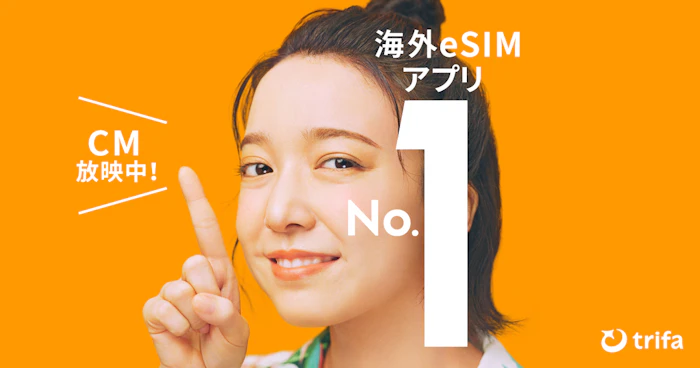
Trifa is a Japan-headquartered international eSIM service designed for travelers across Asia and beyond. The app supports over 200 countries and regions worldwide and is downloadable from the App Store and Google Play.
Plans tailored for Korea
For South Korea, Trifa offers data plans across eight capacity tiers — 1 GB, 3 GB, 5 GB, 10 GB, 20 GB, 30 GB, 80 GB, and Unlimited — with durations from 3 to 60 days. As of June 2026, sample published rates include the 3-day, 1 GB plan starting at US$1.8 per day; the 7-day, 3 GB plan at US$2.0 per day; and the 31-day, 5 GB plan at US$0.7 per day. For a 5-day solo trip with moderate maps and messaging use, a 3 GB plan typically lands under $15 USD total.
Quick in-app setup
Trifa uses a fully in-app eSIM activation flow. Install the app, choose your Korea plan, and the eSIM provisions in the background. Typical setup from purchase to active data takes around 3 minutes. iOS 17.4 and later supports one-tap installation, removing the QR step entirely. Supported devices include iPhone XR, XS, and later (note: phones purchased in mainland China, Hong Kong, or Macau are not supported) plus Samsung Galaxy S20 or later, Pixel 3a or later, and modern Android handsets from Xperia and AQUOS lines.
24/7 in-app chat support
Trifa's in-app chat support is available 24 hours a day, 365 days a year. The team is staffed primarily by Japanese-speaking agents; English-only travelers may want to use a translation tool when reaching out, but response times are fast and the team can usually reissue an eSIM or push a fix within minutes.
Extra peace of mind
- "Trust Cancel" cancellation guarantee: Cancel a plan for any reason before the eSIM activates and receive a 100% refund (a small protection fee applies). Useful if your travel plans shift at the last minute.
- Family accounts: A single account holder can manage and top up eSIMs for up to 7 family members from one dashboard, useful for multi-traveler trips.
- Travel insurance add-on: Optional same-app travel insurance from Tokio Marine & Nichido for trips of 1 day to 3 months, covering medical and incident costs alongside your data plan.
For solo travelers and small groups visiting South Korea, Trifa delivers a modern in-app eSIM with plan tiers fine enough to match a weekend trip or a month-long stay, plus extras such as cancellation insurance and family management that most pure-data eSIM brands don't offer.
Frequently Asked Questions
Can I buy a Korean SIM card without a passport?
No. Korean telecommunications law requires real-name registration for every mobile line, so all SIM purchases — including prepaid tourist SIMs — require a valid passport at the time of purchase. An Alien Registration Card is not required for short-term prepaid plans, but the passport check is non-negotiable.
Is eSIM cheaper than a physical SIM in Korea?
For short trips, yes. A 5-day, 5 GB eSIM typically costs $8 to $15 USD, while a comparable physical tourist SIM from an airport counter usually runs $25 to $40 USD. Physical SIMs become more competitive for longer trips (30 days and up) or for travelers who need a Korean phone number for app verification.
Can I use my US, UK, or Australian phone with a Korean SIM?
Yes, as long as your phone is unlocked. US carriers have varying unlock policies: as of early 2026, Verizon now keeps new devices locked until the device payment plan is complete. T-Mobile requires the device to be on its network for at least 40 days before unlocking. AT&T unlocks within a few business days once a device is paid off. UK and Australian carriers generally unlock more readily, but it's still worth confirming with your carrier before flying.
Do Korean airport SIM counters operate 24 hours?
Only partially. SK Telecom maintains a 24-hour counter at Incheon Terminal 2 in the arrivals hall, which is the most reliable late-night option. Most other counters at Incheon Terminal 1, Gimpo, and Gimhae operate roughly from 06:00 to 22:00 or 23:00. For late-night arrivals to Gimpo or Gimhae, an eSIM activated before you fly is the safer bet.
Can I buy a Korean SIM card at a GS25 or CU convenience store?
Yes. GS25, CU, 7-Eleven, and Emart24 all stock prepaid SIM packs from the major Korean carriers. Show your passport at the counter and the clerk will activate the SIM on the spot. Convenience-store SIM pricing is usually similar to airport rates and is a good fallback if you arrive after the airport counters close.
Should I buy a Korean SIM online before flying, or wait until I arrive?
Online pre-order via marketplaces such as Klook, KKday, or Amazon is typically 15 to 30% cheaper than walking up to an airport counter, but you need to order 3 to 7 days in advance. If you've planned ahead, pre-order. If you're a last-minute traveler or want to keep your options flexible, buying on arrival at the airport is straightforward and rarely takes more than 30 minutes total.
.jpeg&w=3840&q=75)
Get trifa and enjoy internet connectivity wherever you go
Only 3 minutes for setup!Get trifa App for FREE!
CHAT BOT
Ask for inquiries about use


Writer
trifa Editorial Team (Overseas eSIM & Connectivity)
To help reduce connectivity issues during overseas travel, we share easy-to-understand guidance on choosing and setting up overseas eSIMs (iPhone/Android), switching networks while traveling across multiple countries, and whether tethering/hotspot is supported—based on insights gained while providing the eSIM app “trifa” (including common setup stumbling points and support inquiry trends). For information that changes frequently—such as pricing, supported countries, and usage conditions—we check the latest updates on official websites and from operators, and we revise articles when changes occur.
Search by Category
Popular Articles
POPULAR ARTICLES
01
 Overseas Internet
eSIM is recommended for international travel! Here are 7 advantages in a nutshell.
2024.01.07
02
%2520(1).jpg&w=3840&q=75) Overseas Internet
Overseas InternetWhat are the 6 ways to use a Japanese smartphone/cell phone overseas?
2024.02.06
03
%2520(1).jpg&w=3840&q=75) Overseas Travel Essentials
Overseas Travel EssentialsAre you ready for a trip to Korea? Checklist of things to bring and essentials
2024.02.07
Get trifa and enjoy internet connectivity wherever you go
Only 3 minutes for setup!Get trifa App for FREE!
CHAT BOT
Ask for inquiries about use