
- HOME
- Column・Blog
- Overseas Internet
- Wi-Fi in South Korea (2026): Pocket WiFi, eSIM & Free Hotspots Guide
Wi-Fi in South Korea (2026): Pocket WiFi, eSIM & Free Hotspots Guide
Get trifa and enjoy internet connectivity wherever you go
Only 3 minutes for setup!Get trifa App for FREE!

CHAT BOT
Ask for inquiries about use
South Korea is one of the most digitally connected countries on the planet, with citywide free Wi-Fi networks and some of the fastest 5G speeds in the world. Yet anyone who has stepped off the plane at Incheon and tried to load a map or hail a taxi knows that 'free Wi-Fi everywhere' doesn't mean reliable mobile internet at every moment of your trip. This guide walks travelers through every realistic way to stay online in South Korea — free public Wi-Fi, Pocket WiFi rentals, physical SIM cards, eSIMs, and international roaming — with current pricing, pickup locations, and side-by-side comparisons. By the end you'll know which option fits your travel style, whether you're a solo backpacker, a family of four, or a remote worker staying for a month. Last updated: 2026-06-15
Table of Contents
Internet Connectivity in South Korea: An Overview
South Korea ranks among the most digitally advanced countries in the world. Roughly 97% of urban areas are covered by 5G, and median 5G download speeds in nationwide controlled tests reach 1,064 Mbps on SK Telecom and 1,055 Mbps on KT — figures that exceed almost every other country measured by independent benchmarkers in 2025. For travelers, that means the underlying network is rarely the limiting factor; the real question is how you connect to it.
Free public Wi-Fi exists but has limits
Seoul has invested heavily in citywide free hotspots. The Seoul Metropolitan Government has installed thousands of high-speed public Wi-Fi access points in major tourist areas including Itaewon, Cheonggyecheon Stream, Hangang Park, Seoul Grand Park, Myeong-dong, and Seongsu-dong. Look for SSIDs labeled "SEOUL/Public Wifi Free" (open) or "SEOUL_Secure/Public WiFi Secure" (encrypted).
In practice, however, free Wi-Fi alone is not enough for a comfortable trip:
- Coverage outside central Seoul drops sharply. Outside the major cities — coastal Busan, Jeju, smaller towns, and most temples — public hotspots are rare.
- Speeds slow down at peak hours, especially in subway stations and busy cafés.
- Many networks require a Korean phone number to authenticate, which a foreign traveler typically doesn't have.
Cafés, subway, and convenience stores
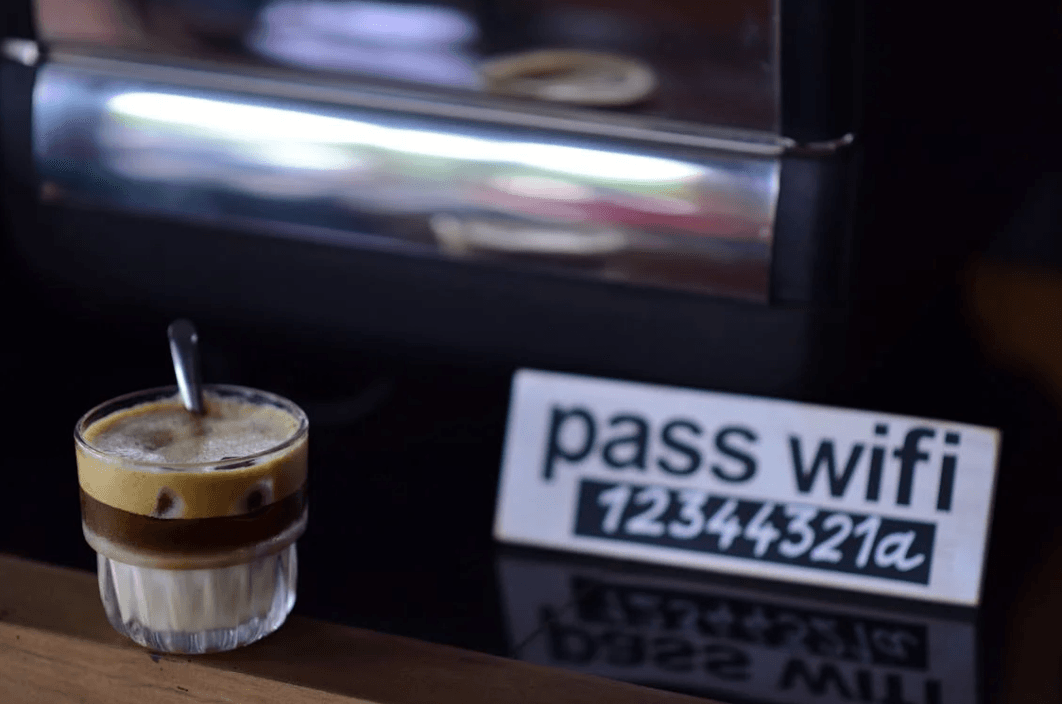
Almost every café chain — Starbucks, Twosome Place, Ediya, and Hollys Coffee — offers free Wi-Fi, as do Seoul Metro stations and CU and GS25 convenience stores. The catch is that the signal weakens as you move between platforms or step outside, and you'll likely watch a captive-portal page in Korean before you can connect. For navigation between locations, translation apps, and ride-hailing, you'll want your own mobile data layer regardless of how many cafés you stop at.
Why Travelers Choose Pocket WiFi for South Korea
A Pocket WiFi — also called a Wi-Fi egg, MiFi, or portable hotspot — is a small battery-powered router that connects to a Korean carrier's network and broadcasts a private Wi-Fi signal to your devices. They remain a popular choice in Korea for three reasons.
Share one connection across multiple devices
A single Pocket WiFi typically serves up to 5 devices simultaneously, depending on the provider and model, making it ideal for couples, families, and groups. Two phones, two laptops, and a tablet can all share the same data plan. Compared to buying an individual SIM or eSIM for every device, the cost difference for a group of three or more becomes significant.
Simple, app-free setup
Unlike a physical SIM (which requires swapping cards and often locking yourself to a single number) or an eSIM (which requires a compatible phone and a QR scan), Pocket WiFi is plug-and-play. You receive the device, power it on, enter the password printed on the back, and you're online. No carrier settings to change, no APN to type, no compatibility checks.
Predictable daily cost for groups
Pocket WiFi providers price by the day rather than by gigabyte. For a 3-person family on a 5-day trip, splitting one $5-per-day Pocket WiFi works out to roughly $1.70 per person per day — cheaper than three individual eSIMs for most data tiers.
Downsides of Pocket WiFi in South Korea
The same convenience comes with three real trade-offs.
One more device to carry and charge
A Pocket WiFi adds another item to your bag and another cable to your nightly charging routine. The device is small — roughly the size of a deck of cards — but you'll need to remember it whenever you leave the hotel. If you forget the router in your room, the whole group loses connectivity.
Battery anxiety
Most Pocket WiFi units offer 6 to 10 hours of continuous use. That's enough for a typical day of sightseeing, but heavy navigation, video streaming, and tethering to a laptop will drain it faster. A power bank is essentially mandatory if you're out from morning to night.
Loss and damage fees
Rental contracts typically require a credit card hold or refundable deposit. Lose the device or damage it and you'll be charged a replacement fee that can range from several tens to a few hundred US dollars depending on the model. Most pickup counters do not accept debit or prepaid cards for the deposit.
Pocket WiFi Plans and Pricing for South Korea (USD, AUD, GBP)
Pocket WiFi rental rates in Korea typically include unlimited data (some plans throttle after a daily cap), the router itself, a charging cable, and a small pouch. Prices vary by provider and how far in advance you book, but the spread is fairly tight.
Typical daily rental rates
Plan tier | Per day (USD) | Per day (AUD)* | Per day (GBP)* |
Budget / capped data | $4 – $7 | A$6 – A$11 | £3 – £5 |
Unlimited (standard) | $7 – $11 | A$11 – A$17 | £5 – £9 |
Premium / 5G-priority | $10 – $15 | A$15 – A$23 | £8 – £12 |
*AUD and GBP figures are approximate conversions at typical mid-2026 exchange rates (AUD ≈ 0.65 USD, GBP ≈ 1.27 USD). Always confirm the exact rate at booking time.
A 5-day rental therefore lands in the $20 – $55 USD range. Booking online before you fly is usually cheaper than walking up to the airport counter, where rates can be 20 to 30% higher.
How to keep Pocket WiFi costs low
- Book online before you fly. Marketplaces like KKday and Klook frequently discount Pocket WiFi by 20% versus airport walk-up rates.
- Split with travel companions. The per-day cost is fixed regardless of how many devices connect, so two or three travelers always come out ahead.
- Skip the 5G upgrade if you don't need it. Standard 4G LTE Pocket WiFi already delivers download speeds of 50 to 150 Mbps in Seoul, plenty for streaming and video calls.
- Return on time. Late returns can incur an extra full-day charge.
Where to Pick Up and Return Pocket WiFi in South Korea
Pickup is almost always handled at Korean airports or via in-country delivery. Pickup counters in your home country are uncommon for English-speaking travelers — most providers expect you to collect the device on arrival.
Incheon, Gimpo, and Gimhae airport counters
The three main airport pickup points are:
- Incheon International Airport (ICN) — the primary entry point for Seoul. Counters are located in the arrivals area of both Terminal 1 and Terminal 2, generally open from early morning to late evening.
- Gimpo International Airport (GMP) — a smaller Seoul-area airport, useful if you arrive from a domestic or short-haul international flight. Counters are in the arrivals hall.
- Gimhae International Airport (PUS) — the gateway to Busan, with similar arrival-hall counters serving travelers headed to the south.
Most providers ask for a credit card for the security deposit and your passport for identity verification. Return is to the same counter when you fly home.
Hotel and home delivery
Some operators will ship a Pocket WiFi to your hotel before arrival or accept return shipping by courier at the end of your trip. This is convenient if your flight arrives late at night when airport counters are closed. Confirm the delivery address and timing at booking; same-day hotel delivery in Seoul is common but rarely available outside major cities.
Comparing Connectivity Options: eSIM, SIM, Pocket WiFi, and Roaming
Each connectivity method has a clear sweet spot. Use the table below to match your travel style to the right option.
Quick comparison
Option | Best for | Typical cost (5 days) | Setup time | Devices supported |
eSIM | Solo travelers with a compatible phone | $9 – $25 USD | 5 to 10 minutes | 1 (sharable via personal hotspot) |
Physical SIM | Long stays, need a Korean phone number | $30 – $50 USD | 15 to 30 min at airport counter | 1 |
Pocket WiFi | Families, groups, multi-device users | $20 – $55 USD | 5 minutes at counter | Up to 5 |
International roaming | Very short trips, brand-loyal users | $50 – $150 USD | Already on (just enable) | 1 |
International roaming: convenient but pricey
If you're on a US carrier such as Verizon TravelPass (currently $12 per day in 210+ countries including South Korea, with 5 GB of high-speed data per day before throttling) or T-Mobile Go5G Plus / Go5G Next (5 to 15 GB of high-speed data in 215+ countries before stepping down to 256 kbps), your existing plan may already work in South Korea. Convenient, yes — but daily roaming fees add up fast, and speeds throttle after the included daily allowance. UK and Australian carriers offer similar add-ons. Worth the price only for trips of 2 to 3 days or for travelers who place a premium on zero setup.
Solo vs group: a simple rule
- Solo traveler with a modern smartphone → eSIM is almost always the right answer. Cheapest, fastest setup, no extra device.
- Two or more travelers → Pocket WiFi gets cheaper the more people share it.
- Staying a month or longer → A physical SIM with a Korean number can be useful for online banking, food delivery apps such as Coupang and Baemin, and KakaoTalk registration.
Troubleshooting: What to Do If You Can't Get Online in Korea
A small share of travelers do hit connection issues on arrival. Most are solved in under five minutes once you know where to look.
Before you fly: check your phone
- Confirm your phone is unlocked. US carriers in particular sometimes ship phones locked to their network. Call your carrier or check Settings → General → About on iPhone (or Status under Settings on Android) before you board.
- Check eSIM compatibility. iPhone XR / XS or later, Samsung Galaxy S20 or later, Google Pixel 3a or later, and most modern flagship Androids support eSIM. Confirm your specific model on your phone-maker's official support page.
- Download offline maps. Korea restricts foreign map data export, so Google Maps does not offer offline downloads for Korean cities. Install Naver Map or KakaoMap instead and download the offline area for Seoul, Busan, or your destination over hotel Wi-Fi before you leave. These local apps have full offline coverage and are the maps most Koreans use day-to-day.
- Pre-install translation apps. Papago (made by Naver, the dominant Korean search engine) outperforms Google Translate for Korean. Download the Korean offline language pack ahead of time.
On the ground: common fixes
If your eSIM or Pocket WiFi isn't connecting after you land:
- Toggle Airplane Mode off and on. Forces the device to re-register on the local network.
- Enable data roaming in your phone's mobile data settings. Most travel eSIMs technically operate through international roaming agreements, so the toggle must be on.
- Reset network settings. On iPhone: Settings → General → Transfer or Reset iPhone → Reset → Reset Network Settings. On Android: Settings → System → Reset → Reset Wi-Fi, mobile, & Bluetooth.
- Check that your APN is correct if you're using a physical SIM or a custom eSIM profile. Your provider's setup instructions will list the right APN string.
Backups worth installing
- Papago (offline Korean translation)
- Offline area downloaded in Naver Map or KakaoMap for your itinerary (Google Maps offline downloads are not available for Korean cities)
- KakaoMap as a Korean-native navigation app, especially for walking directions and bus routes
- NAVER Map for restaurant search and reviews
eSIM or Pocket WiFi? Choosing the Right Option for Your Trip
For most travelers, the choice ultimately comes down to eSIM vs. Pocket WiFi. The decision tree below covers most real-world cases.
Group travel? Pocket WiFi for shared cost
If you're traveling with two or more companions and each person needs internet, Pocket WiFi is almost always cheaper per head than buying multiple eSIMs. A $7-per-day unlimited Pocket WiFi shared between three travelers works out to about $2.30 per person per day. The trade-off is that the group must stay within Bluetooth or Wi-Fi range of the router, which can be awkward if you split up during the day.
Need a Korean phone number? Pick up a physical SIM
A small but non-trivial set of services in Korea — banking, some delivery apps, KakaoTalk verification — require a Korean phone number for SMS-based authentication. If you'll be staying long enough to need any of those, a physical prepaid SIM from KT, SK Telecom, or LG U+ at the airport is the simplest path. Expect to pay around $30 – $50 USD for a 30-day unlimited plan with a Korean number.
Solo traveler with light luggage? eSIM wins
For a single traveler on a 3 to 14 day trip, an eSIM is the cleanest option. Activation takes 5 to 10 minutes on Wi-Fi before you fly, there's nothing physical to keep track of, and prices for Korea start at roughly $4 – $15 USD for a typical 3GB / 5GB plan over a few days.
Why Trifa Is a Smart eSIM Choice for South Korea

Trifa is a Japan-headquartered international eSIM service designed specifically for travelers in Asia and beyond. The app supports over 200 countries and regions worldwide and is downloadable from the App Store and Google Play.
Coverage and plans tailored for Korea
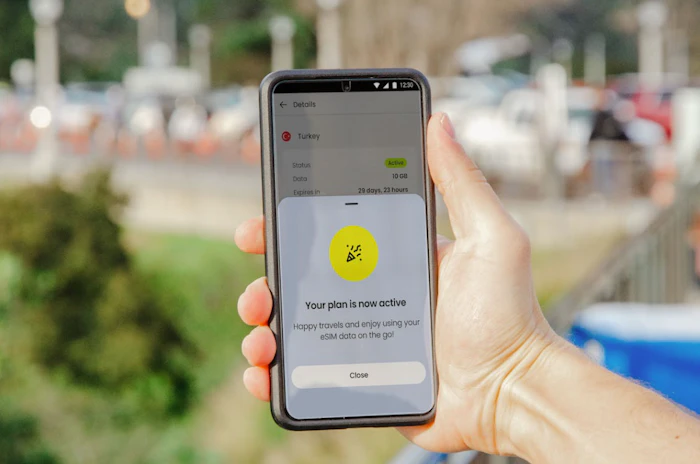
For South Korea specifically, Trifa offers data plans across eight capacity tiers — 1GB, 3GB, 5GB, 10GB, 20GB, 30GB, 80GB, and Unlimited — and travel durations from 3 to 60 days. For example, the 3-day, 1GB plan starts at US$1.8 per day; the 7-day, 3GB plan from US$2.0 per day; and the 31-day, 5GB plan from US$0.7 per day. For a 5-day solo trip with moderate maps and messaging use, a 3GB plan typically lands under $15 USD total.
Quick setup in minutes
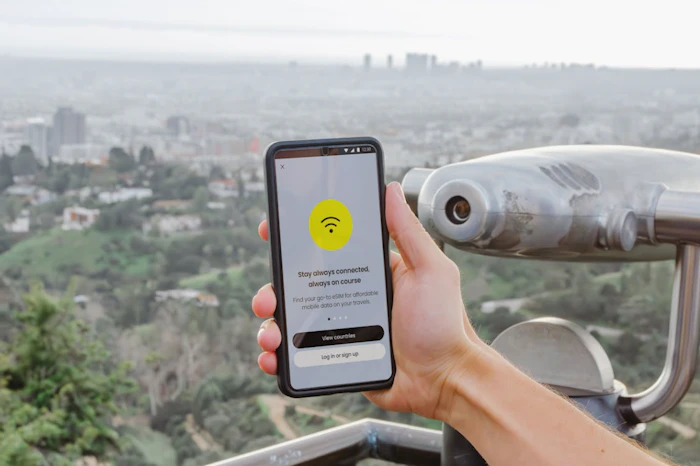
Trifa uses a fully in-app eSIM activation flow. You install the app before you fly, choose your plan, and the eSIM provisioning happens in the background — typical setup takes around 3 minutes from purchase to active data. On iOS 17.4 and later, a one-tap installation flow removes the need for QR codes entirely. Supported devices include iPhone XR / XS or later (note: phones purchased in mainland China, Hong Kong, or Macau are not supported) and Samsung Galaxy S20 or later, Pixel 3a or later, and other modern Android handsets.
Round-the-clock in-app support
If something goes wrong on the road, Trifa's in-app chat support team is available 24 hours a day, 365 days a year. The team is staffed by Japanese-speaking agents, so English-only travelers may want to use translation tools when reaching out, but response time is fast and the team can usually push a fix or reissue an eSIM within minutes.
Extra peace of mind
- "Trust Cancel" cancellation guarantee: Cancel a plan for any reason before the eSIM is activated and receive a 100% refund (a small protection fee applies). Useful if your travel plans change at the last minute.
- Family accounts: A single account holder can manage and top up eSIMs for up to 7 family members from one dashboard.
- Travel insurance add-on: Optional same-app insurance from Tokio Marine & Nichido for trips of 1 day to 3 months.
For solo travelers and small groups visiting South Korea, Trifa delivers the simplicity of a modern eSIM with plan tiers fine enough to match a weekend trip or a month-long stay.
Frequently Asked Questions
Do I need unlimited data in South Korea?
For most short trips, no. A 3GB or 5GB plan is plenty for navigation, messaging, and the occasional video call over a 5 to 7 day trip. Unlimited plans are worth the premium only for heavy streaming, mobile hotspot use for a laptop, or stays longer than two weeks.
Can I use WhatsApp or iMessage without a Korean phone number?
Yes. Both work over data without any Korean phone number. iMessage uses your existing Apple ID, and WhatsApp continues to work with your home number as long as it remains active. The notable exception in Korea is KakaoTalk — the country's dominant messaging app, which sometimes requires a Korean number to register a new account.
Is eSIM better than a physical SIM in Korea?
For most travelers, yes. eSIM activation happens on Wi-Fi before you fly, there's no physical card to lose, and you can keep your home SIM in slot 1 to receive calls and SMS. Physical SIMs are still useful if you need a Korean phone number or if your phone doesn't support eSIM.
What happens if my Pocket WiFi runs out of battery?
You lose connectivity until you can recharge. A power bank is essentially mandatory for full-day sightseeing. Most rental providers do not include a power bank in the kit, so plan accordingly.
Can I buy a SIM card after I arrive in Korea?
Yes. Counters for KT, SK Telecom, and LG U+ are located in the arrivals halls at Incheon, Gimpo, and Gimhae airports, generally open from early morning to late evening. You'll need your passport and a credit card. Buying online before you fly is typically cheaper but airport purchase is straightforward.
Will my US, UK, or Australian carrier work in Korea?
Most major carriers in the US (Verizon, T-Mobile, AT&T), the UK (EE, Vodafone, O2), and Australia (Telstra, Optus) have roaming agreements with Korean networks. The catch is price: $10 to $15 per day is common, and speeds may be throttled after a daily cap. Worth it for very short trips; otherwise an eSIM or Pocket WiFi is more economical.
South Korea's mobile infrastructure is world-class, but the underlying network is only as useful as how you connect to it. Free public Wi-Fi covers central Seoul well but thins out fast outside the major cities. Pocket WiFi is the right pick for families and groups; a local SIM is best for stays of a month or longer; and for solo travelers with a modern phone, an eSIM is the lightest, simplest path to staying online from the moment you land.
Whichever route you take, decide before you fly. Activation on Wi-Fi at home is far less stressful than searching for an airport counter after a long-haul flight. Safe travels.
.jpeg&w=3840&q=75)
Get trifa and enjoy internet connectivity wherever you go
Only 3 minutes for setup!Get trifa App for FREE!
CHAT BOT
Ask for inquiries about use


Writer
trifa Editorial Team (Overseas eSIM & Connectivity)
To help reduce connectivity issues during overseas travel, we share easy-to-understand guidance on choosing and setting up overseas eSIMs (iPhone/Android), switching networks while traveling across multiple countries, and whether tethering/hotspot is supported—based on insights gained while providing the eSIM app “trifa” (including common setup stumbling points and support inquiry trends). For information that changes frequently—such as pricing, supported countries, and usage conditions—we check the latest updates on official websites and from operators, and we revise articles when changes occur.
Search by Category
Popular Articles
POPULAR ARTICLES
01
 Overseas Internet
eSIM is recommended for international travel! Here are 7 advantages in a nutshell.
2024.01.07
02
%2520(1).jpg&w=3840&q=75) Overseas Internet
Overseas InternetWhat are the 6 ways to use a Japanese smartphone/cell phone overseas?
2024.02.06
03
%2520(1).jpg&w=3840&q=75) Overseas Travel Essentials
Overseas Travel EssentialsAre you ready for a trip to Korea? Checklist of things to bring and essentials
2024.02.07
Get trifa and enjoy internet connectivity wherever you go
Only 3 minutes for setup!Get trifa App for FREE!
CHAT BOT
Ask for inquiries about use