
- HOME
- Column・Blog
- Overseas Internet
- How to Use Your Phone in South Korea (2026): eSIM, SIM, Roaming & WiFi Compared
How to Use Your Phone in South Korea (2026): eSIM, SIM, Roaming & WiFi Compared
Get trifa and enjoy internet connectivity wherever you go
Only 3 minutes for setup!Get trifa App for FREE!
CHAT BOT
Ask for inquiries about use
Few countries make staying online as easy as South Korea. Nationwide 5G blankets the country across SK Telecom, KT, and LG U+, central Seoul has citywide free public Wi-Fi, and every major airport sells a prepaid SIM the moment you land. Yet the sheer number of options — roaming, Pocket WiFi, local SIM, travel eSIM, free public Wi-Fi — leaves most first-time visitors unsure which one actually fits their trip. This guide walks through every realistic way to use your phone in South Korea, with current 2026 pricing in USD, AUD, and GBP, the trade-offs of each method, and a simple decision tree for solo travelers, families, business trips, and long stays. By the end, you will know exactly which option to book before you fly — and how to set it up so it works the moment you land at Incheon, Gimpo, or Gimhae. Last updated: 2026-06-15
Table of Contents
5 Ways to Use Your Phone in South Korea
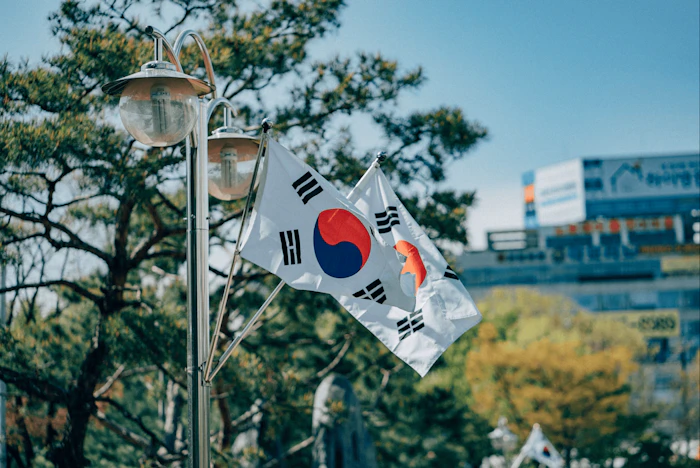
South Korea runs one of the most advanced mobile networks in the world. Nationwide 5G is live across SK Telecom, KT, and LG U+, and central Seoul has citywide free public Wi-Fi. For a visitor, the question is not whether you can get online — it is which method gives you the right mix of speed, cost, and convenience for your trip.
There are five realistic ways to keep your phone connected in South Korea. Each one suits a different traveler.
International roaming from your home carrier
If you are on Verizon, T-Mobile, AT&T (US), EE, Vodafone, Three (UK), or Telstra, Optus (AU), your existing plan likely covers South Korea through a daily roaming add-on. You keep your home phone number, you keep your existing SMS and calls, and you do not have to swap or install anything. The trade-off is price — and, on most carriers, throttled data speeds after a daily cap.
Pocket WiFi rental in Korea
A Pocket WiFi (sometimes called a Wi-Fi egg or MiFi) is a small battery-powered router that connects to a Korean carrier and broadcasts a private Wi-Fi signal. Pickup happens at Incheon, Gimpo, or Gimhae airports on arrival. A single device typically supports up to five connected phones or laptops, which makes it the cheapest per-person option for couples, families, and groups.
A local Korean SIM or eSIM from SK Telecom, KT, or LG U+
The three Korean carriers all sell prepaid traveler SIMs at airport counters. You get a Korean phone number, strong native coverage, and competitive pricing for stays of 15 days or longer. The trade-off is a slower setup (typically 15 to 30 minutes at the counter) and a less convenient process if you arrive late at night.
A travel eSIM you buy before you fly
Travel eSIMs from providers such as Airalo, Holafly, Saily, and Trifa let you download a digital SIM profile to your phone before you leave home. The eSIM activates the moment you connect to a Korean network, so you can step off the plane at Incheon, open Google Maps, and order an airport-to-Seoul taxi on the spot. No physical card, no QR scan in the arrivals hall, and no Korean ID required.
Free public Wi-Fi
South Korea has some of the densest public Wi-Fi in the world. Seoul alone offers free hotspots at thousands of subway stations, parks, and tourist areas, with SSIDs starting with "SEOUL" or "Public WiFi". Cafés such as Starbucks, Twosome Place, and Hollys offer free in-store Wi-Fi, as do CU and GS25 convenience stores. As a primary connection it is unreliable — coverage drops outside central Seoul, speeds slow at peak hours, and the open networks are not safe for banking or other sensitive activity — but as a backup it is genuinely useful.
Pros and Cons of Each Connectivity Option
Each method has a clear strength and a clear weakness. The table below summarizes the trade-offs so you can match your priorities to the right option before you book anything.
Side-by-side comparison
Option | Pros | Cons |
International roaming | Keep your home number, calls, and SMS. No setup. Works the moment you land. | Most expensive per day. Most plans throttle data after a daily cap. Some carriers require enrollment. |
Pocket WiFi rental | Shares one connection across up to 5 devices. Cheap per person for groups. No phone setup required. | Extra device to carry and charge. Pickup and return required. Replacement fees apply if lost. |
Local Korean SIM or eSIM | Includes a Korean phone number on most plans. Native carrier speeds. Strong value for long stays. | Setup takes 15 to 30 minutes at airport counter. Limited late-night availability. Loses home number while installed. |
Travel eSIM | Install before you fly. Activates on arrival. Keeps your home SIM in slot 1. No physical card to lose. | Requires an eSIM-compatible phone. Data only — no Korean phone number on most plans. |
Free public Wi-Fi | Free. Widely available in Seoul. No installation. Good fallback. | Unreliable between locations. Security risk on open networks. Useless for navigation in transit. |
For most travelers, the practical rule is to choose one main connection — roaming, Pocket WiFi, local SIM, or travel eSIM — and treat free public Wi-Fi as a backup.
Pricing Comparison: eSIM, SIM, Pocket WiFi and Roaming (USD, AUD, GBP)
Pricing is where the four paid options diverge sharply. The table below shows typical 2026 rates for a one-week trip to South Korea, with figures verified against each provider's published pricing as of June 2026.
Typical 1-week cost for a single traveler
Option | Typical 7-day cost (USD) | Approx. AUD | Approx. GBP |
Travel eSIM (3 to 5 GB) | $9 – $25 | A$14 – A$38 | £7 – £20 |
Travel eSIM (unlimited) | $20 – $48 | A$30 – A$72 | £15 – £37 |
Local SIM (airport counter) | $30 – $50 | A$45 – A$75 | £23 – £39 |
Pocket WiFi rental | $28 – $77 | A$42 – A$117 | £22 – £61 |
International roaming | $17 – $84 | A$25 – A$130 | £13 – £67 |
AUD and GBP figures are approximate conversions at mid-2026 reference rates (AUD ≈ 0.65 USD, GBP ≈ 1.27 USD). Always confirm the live rate at booking.
Travel eSIM provider pricing for South Korea
- Airalo: South Korea plans start at $4.00 USD; unlimited (3 GB/day high-speed then throttled) starts at $11.00 USD for 3 days.
- Holafly: unlimited-data South Korea plans run roughly $6.90 to $139.90 USD depending on duration, with a flat per-day cost near $2.32.
- Saily: South Korea data plans start at $3.99 USD.
- Trifa: starts at roughly $1.80 USD per day for a 3-day, 1 GB plan, scaling to $0.70 USD per day for a 31-day, 5 GB plan.
International roaming day-pass rates
- Verizon TravelPass (US): $12 per day in 210+ countries including South Korea, with 5 GB of high-speed data per day before throttling to 3G speeds.
- AT&T International Day Pass (US): $12 per day, capped at 10 days per billing cycle (so a 14-day trip costs $120, not $168).
- T-Mobile Go5G / Magenta plans (US): includes a daily allowance of unlimited high-speed data on top-tier plans, with included throttled data (typically 256 kbps) on standard Magenta plans. High-speed data add-on passes are sold separately.
- Three Go Roam Around the World Extra (UK): South Korea is in the global Extra tier at £8 per day on plans taken out from 18 December 2025 onward.
- Telstra International Day Pass (AU): A$2.50 per day for South Korea, using your existing home plan's inclusions.
- Optus Daily Roaming (AU): A$5 per day on Choice Plus plans (Zone 1, includes South Korea) for 5 GB per day; A$10 per day on older plans for 1 GB per day.
Confirm rates on your own carrier's website before you fly — international roaming pricing changes frequently and varies by plan.
Which Option Should You Choose? Matching Travel Style to Connectivity
The right choice depends on three factors: how long you are staying, how many devices need data, and whether you need a Korean phone number. The cases below cover most real-world scenarios.
Short business trip (2 to 4 days)
If your carrier's day-pass roaming is cheap and you only need 2 to 4 days of data, roaming makes sense. You keep your work number active, you can take calls from your team, and you do not have to swap SIMs or install profiles. A 3-day trip on Verizon TravelPass costs $36; a 3-day trip on AT&T International Day Pass is the same. For longer business trips, a travel eSIM is almost always cheaper.
Solo leisure traveler, 5 to 14 days
A travel eSIM is the best fit. Setup happens on Wi-Fi before you fly, you keep your home SIM in slot 1, and a 5 to 10 GB Korea-only plan costs $10 to $25 USD. If you want unlimited data and a single per-day price, an unlimited eSIM from Holafly or Trifa is usually cheaper than any home-carrier roaming pass.
Family or group of 2 to 4
Pocket WiFi is the per-person cost leader. A single $7-per-day unlimited Pocket WiFi shared between three travelers works out to about $2.30 per person per day. The trade-off is that the group has to stay within Wi-Fi range of the router during the day, which is awkward if you split up — and one person has to carry and charge the device.
Long stay (15 to 60 days)
For a month or longer, a prepaid local SIM from SK Telecom, KT, or LG U+ is usually the best value, especially if you need a Korean phone number for banking, KakaoTalk verification, or food delivery apps like Coupang Eats and Baemin. Per-day rates fall sharply on long plans — Trifa, for example, drops to about $0.70 USD per day on its 31-day, 5 GB plan.
Budget traveler / backpacker
A small data-only travel eSIM (1 to 3 GB) plus heavy reliance on free public Wi-Fi in Seoul cafés, hostels, and subway stations is the cheapest realistic combination. Expect to spend $5 to $10 USD on data for a week. Make sure to download offline maps for your route before you fly.
How to Set Up Your Phone for South Korea
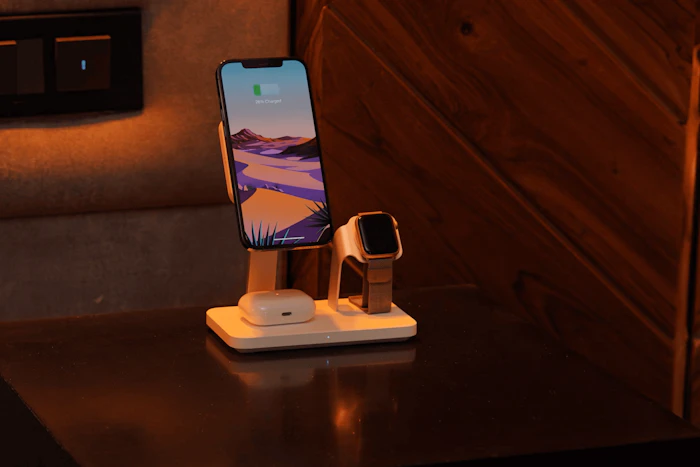
Setup steps depend on which connection method you chose. Get this done before you leave home — airport arrival halls are not the place to troubleshoot a phone for the first time.
If you are using international roaming
Confirm your carrier's day-pass plan covers South Korea and enroll if it requires opt-in. Then, just before you land, turn Data Roaming on in your phone's settings. On iPhone: Settings → Cellular → Cellular Data Options → Data Roaming. On Android: Settings → Network & Internet → SIMs → Roaming. Some carriers automatically send a welcome SMS confirming the day pass is active.
If you are using a travel eSIM
Install the eSIM at home on your Wi-Fi network. Most providers send a QR code by email or activate the eSIM through their app. On iOS 17.4 and later, some providers (Trifa included) support one-tap installation that skips QR codes entirely. Once installed, leave the eSIM turned off until you land. On arrival in South Korea:
- Turn off Data Roaming on your home SIM (to avoid surprise charges).
- Turn the Korea eSIM on as your active data line, with Data Roaming on for that line.
- Keep your home SIM enabled for SMS and calls if you want to receive verification codes from your bank or messaging apps.
If you are using a local Korean SIM
Pick up the SIM at an SK Telecom, KT, or LG U+ counter in the arrivals hall at Incheon (Terminal 1 or 2), Gimpo, or Gimhae. Counters are typically open from early morning to late evening; Incheon Terminal 2 has a 24-hour counter near Gate 3. You will need your passport and a credit card. The staff swap the SIM, set the APN, and confirm it is working before you leave the desk.
If you are using Pocket WiFi
Collect the device at the airport counter on arrival. Power it on, find the SSID and password on the back of the unit or the included card, and join the Wi-Fi network from each of your devices the same way you would at a hotel. Most rentals include a charging cable; bring a power bank if you plan to use it through long sightseeing days.
Things to Watch Out For When Using Your Phone in South Korea
Three issues catch out the most travelers in Korea. Check each one before you fly to avoid an unpleasant surprise at Incheon.
Is your phone band-compatible with Korean networks?
Korean carriers run on 5G NR n78 (3.5 GHz) and LTE Bands 1, 3, 5, 7, and 8. The good news is that almost every modern phone sold in the US, UK, Canada, and Australia — iPhone XR/XS or later, Samsung Galaxy S20 or later, Google Pixel 3a or later — supports those bands. Phones to double-check:
- Older Android phones from 2018 or earlier may not support LTE Band 5.
- iPhones purchased in mainland China, Hong Kong, or Macau have different cellular hardware and may have eSIM restrictions; check with the manufacturer.
- Any phone purchased outside the major markets above — confirm bands on the manufacturer's official spec page.
Do you have enough data for the way you actually travel?
Travel data use is higher than home use. Google Maps with traffic, frequent Papago translations, Instagram and TikTok uploads, and FaceTime calls home all add up fast. As a rough guide for a 7-day trip:
- Light use (maps + messaging only): 1 to 2 GB
- Standard use (add social media, occasional video): 3 to 5 GB
- Heavy use (streaming, hotspot for a laptop): 10 GB or an unlimited plan
If you are unsure, go one tier up. Topping up a Korean SIM or extending an eSIM is easy but costs more per gigabyte than buying the right plan upfront.
Does your eSIM or SIM cover South Korea — and only South Korea?
Multi-country and regional eSIMs (Asia bundles, global plans) usually include South Korea, but not always — and excluding it is more common than you might expect. Double-check the destination list on the provider's purchase page before you check out. Local Korean SIMs are always Korea-only.
Security on free public Wi-Fi
South Korea's free public hotspots — "SEOUL/Public WiFi Free", subway station Wi-Fi, café networks — are convenient but unsafe for banking, shopping, or anything that involves entering a password. The open SSIDs encrypt nothing between your phone and the access point. If you need to use a public network for anything sensitive, use a VPN, or wait until you are back on your eSIM or Pocket WiFi.
Korean Phone Numbers, Voice Calls, and Apps Like KakaoTalk
Most travelers do not need a Korean phone number — but a few situations do require one. Here is what actually depends on having a local number, and what does not.
When a Korean phone number is genuinely required
- Full KakaoTalk verification (basic signup works on a foreign number, but features like KakaoPay and some merchant flows require a Korean number linked to a resident ID).
- Korean food delivery apps, including Coupang Eats and Baemin.
- Some Korean banking and fintech services.
- Restaurant waitlist apps that text you when your table is ready.
- Ride-hailing apps that send a driver SMS for verification.
If any of these matter to your trip, plan to pick up a local SIM with a Korean number at the airport.
What works fine on a travel eSIM with no local number
The list is longer than the list above. With a data-only Korea eSIM and your home phone number kept active on your home SIM, you can:
- Make and receive calls and SMS on your home number (international roaming charges may apply — check your home carrier).
- Make free voice and video calls over WhatsApp, FaceTime, iMessage, Signal, and KakaoTalk over data.
- Use Google Maps, KakaoMap, NAVER Map, and Papago Translate.
- Order taxis through Kakao T using your home phone number.
- Sign up for KakaoTalk for basic chat using your home number.
Apps worth installing before you fly
- Papago — Naver's Korean-English translator, sharper than Google Translate for Korean.
- KakaoMap or NAVER Map — better for walking directions and bus routes inside Korea than Google Maps.
- Kakao T — taxis, with English-language support in the latest versions.
- Google Maps with offline maps downloaded for Seoul, Busan, and any side-trip destinations.
Why Trifa is a Smart eSIM Choice for South Korea

Trifa is a Japan-headquartered international eSIM service designed specifically for travelers in Asia and beyond. The app supports more than 200 countries and regions worldwide and is downloadable from the App Store and Google Play.
Reviewed by Trifa Editorial Team
Korea coverage on SK Telecom and LG U+
For South Korea, Trifa connects you to SK Telecom and LG U+ — two of the country's three major operators. That means strong 5G coverage in Seoul and Busan, deep LTE coverage in subway tunnels and rural areas, and minimal hand-off issues as you move between cities.
Plans tuned to how you actually travel
South Korea plans on Trifa come in eight capacity tiers — 1 GB, 3 GB, 5 GB, 10 GB, 20 GB, 30 GB, 80 GB, and Unlimited — paired with travel durations from 3 to 60 days. A few representative starting prices:
- 3-day, 1 GB plan: from US$1.80 per day
- 7-day, 3 GB plan: from US$2.00 per day
- 31-day, 5 GB plan: from US$0.70 per day
Pricing is set in JPY and shown in USD on country pages, and varies with promotions and exchange rates — check the Korea page in the app for the rate you will actually be charged.
Setup in roughly 3 minutes
Trifa handles eSIM provisioning fully inside the app. You install the app at home, choose a plan, and the eSIM is delivered to your phone in the background. On iOS 17.4 and later, one-tap installation skips QR codes entirely. Supported devices include iPhone XR / XS or later (phones purchased in mainland China, Hong Kong, or Macau are excluded) and most modern Android handsets including Samsung Galaxy S20 or later and Pixel 3a or later.
Extras worth knowing about
- Cancellation guarantee: cancel any plan before the eSIM is activated and receive a 100% refund (a small protection fee applies). Useful if your plans change at the last minute.
- Family accounts: one account holder can manage and top up eSIMs for up to 7 family members from a single dashboard — convenient for parents or group leaders.
- Travel insurance add-on: optional in-app insurance underwritten by Tokio Marine & Nichido for trips of 1 day to 3 months.
- In-app chat support is staffed 24 hours a day, 365 days a year. The team operates in Japanese, so English-only travelers may want to use a translation tool when reaching out, but response times are fast.
Note: Trifa is a data-only service and does not assign a Korean phone number. If a local number is essential for your trip, pick up a SIM from SK Telecom, KT, or LG U+ at the airport.
Frequently Asked Questions
Do I need a Korean phone number to visit?
No, not for most trips. Basic travel — navigation, messaging, social media, taxis through your home number — works fine on a travel eSIM with no Korean number. A Korean number only becomes necessary if you want to use Korean food delivery apps like Coupang Eats and Baemin, sign up for KakaoPay, or verify with Korean banking services.
Can I keep my home phone number while using a Korea eSIM?
Yes. Modern iPhones and Android phones can run two cellular plans at once. Install the Korea travel eSIM as a second line, keep your home SIM in slot 1 for SMS and calls, and set the Korea eSIM as the active data line. You will continue to receive verification codes and calls on your home number — though check your home carrier for international roaming charges before you fly.
How much data do I need for a week in South Korea?
For a typical 7-day trip with daily navigation, social media, and a handful of video calls, 3 to 5 GB is comfortable. Heavy hotspot use, streaming, or working remotely from cafés pushes you into 10 GB or an unlimited plan. Light users on offline maps and messaging only can get away with 1 to 2 GB.
Does my US, UK, or Australian phone work on Korean networks?
Almost always, yes. South Korea uses 5G NR n78 (3.5 GHz) and LTE Bands 1, 3, 5, 7, and 8, which are supported by iPhone XR/XS or later, Samsung Galaxy S20 or later, Google Pixel 3a or later, and most flagship Androids sold in the US, UK, Canada, and Australia. Phones purchased in mainland China, Hong Kong, or Macau may have eSIM restrictions; older phones from 2018 or earlier should be double-checked against the manufacturer's spec sheet.
Is public Wi-Fi safe to use in South Korea?
Free public Wi-Fi networks in Korea — including the open "SEOUL/Public WiFi Free" hotspots, subway station Wi-Fi, and most café networks — are not safe for banking, online shopping, or anything that involves entering a password. Use them only for casual browsing, and switch to a VPN or your eSIM connection before logging into sensitive accounts.
Can I switch eSIMs partway through my trip?
Yes. eSIMs do not have to be removed to swap. If you find your travel eSIM is running out of data, you can install a second eSIM, top up the existing one inside the provider's app, or fall back to your home SIM with roaming temporarily enabled. Most travel eSIM apps (Trifa included) let you top up data inside the app at any time without changing the installed profile.
Will my carrier's day-pass roaming throttle data in Korea?
Usually, yes. Verizon TravelPass and AT&T International Day Pass include 5 GB of high-speed data per day in South Korea before throttling — Verizon to 3G speeds, AT&T similarly. T-Mobile Magenta plans throttle to 256 kbps unless you pay for a high-speed data pass. For more than 5 GB per day, a travel eSIM or local SIM is faster and cheaper.
.jpeg&w=3840&q=75)
Get trifa and enjoy internet connectivity wherever you go
Only 3 minutes for setup!Get trifa App for FREE!
CHAT BOT
Ask for inquiries about use


Writer
trifa Editorial Team (Overseas eSIM & Connectivity)
To help reduce connectivity issues during overseas travel, we share easy-to-understand guidance on choosing and setting up overseas eSIMs (iPhone/Android), switching networks while traveling across multiple countries, and whether tethering/hotspot is supported—based on insights gained while providing the eSIM app “trifa” (including common setup stumbling points and support inquiry trends). For information that changes frequently—such as pricing, supported countries, and usage conditions—we check the latest updates on official websites and from operators, and we revise articles when changes occur.
Search by Category
Popular Articles
POPULAR ARTICLES
01
 Overseas Internet
eSIM is recommended for international travel! Here are 7 advantages in a nutshell.
2024.01.07
02
%2520(1).jpg&w=3840&q=75) Overseas Internet
Overseas InternetWhat are the 6 ways to use a Japanese smartphone/cell phone overseas?
2024.02.06
03
%2520(1).jpg&w=3840&q=75) Overseas Travel Essentials
Overseas Travel EssentialsAre you ready for a trip to Korea? Checklist of things to bring and essentials
2024.02.07
Get trifa and enjoy internet connectivity wherever you go
Only 3 minutes for setup!Get trifa App for FREE!
CHAT BOT
Ask for inquiries about use